Classic
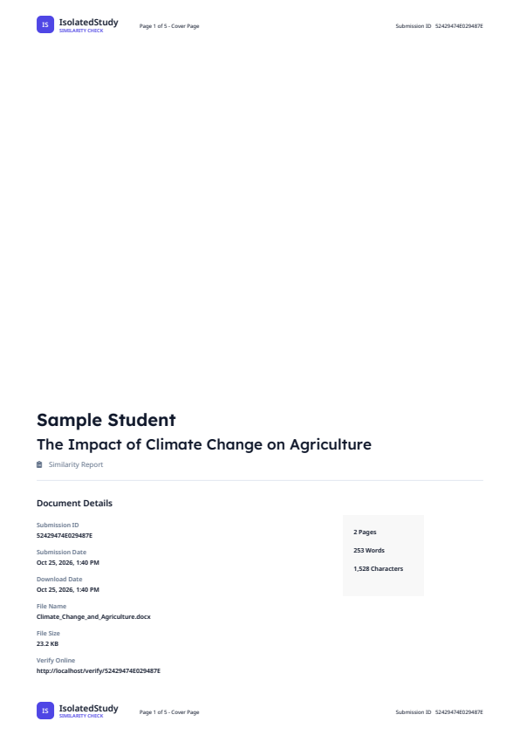
A formal integrity report: cover page, match overview, your highlighted document and the source list.
Open sample PDF IsolatedStudySimilarity Check
Upload any document and IsolatedStudy compares it against the web, academic databases and previously submitted work – then shows you exactly which passages match.
Paste a paragraph, add your email (we make your free account) and see your similarity score with the matching passages in about a minute.
No separate sign-up: enter your email and a password with the upload. Only you – and your instructor, if you join a class – can see your reports.
Any file: PDF, Word, PowerPoint, Excel, scans, pictures, code – or paste text. Tick extra checks if you like.
Your text is fingerprinted and compared with web pages, research papers and earlier student papers – all at once.
Matches highlighted on your own file, a score and grade, filters, and a PDF in three designs to download.
Colour-coded highlights, a match overview per source, side-by-side comparison and Turnitin-style filters for quotes, bibliography and small matches.
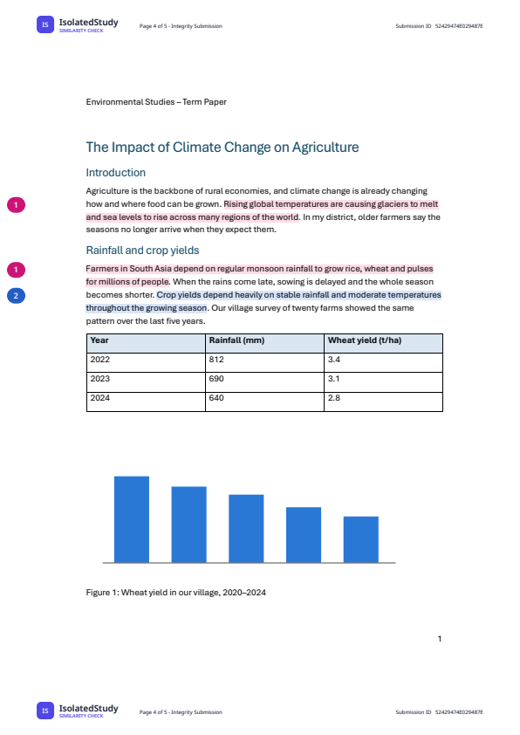
The same check, downloaded in each of the three PDF designs. Your own file is kept exactly as it is – fonts, tables, charts – with only the coloured highlights and numbered sources added.
A formal integrity report: cover page, match overview, your highlighted document and the source list.
Open sample PDF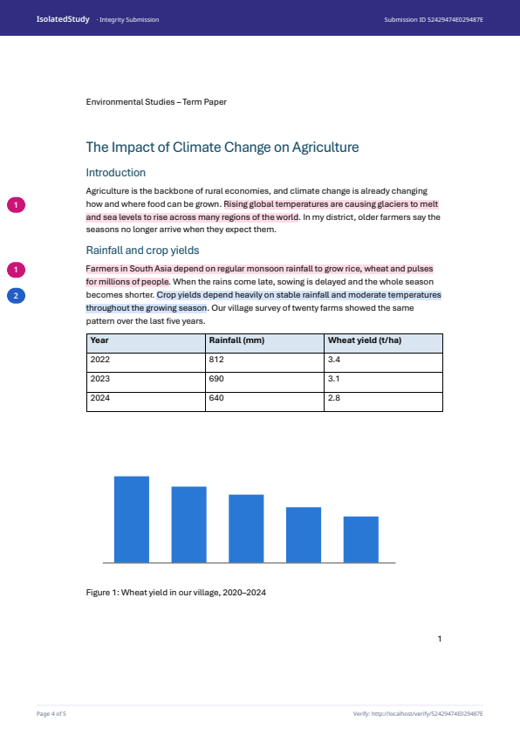
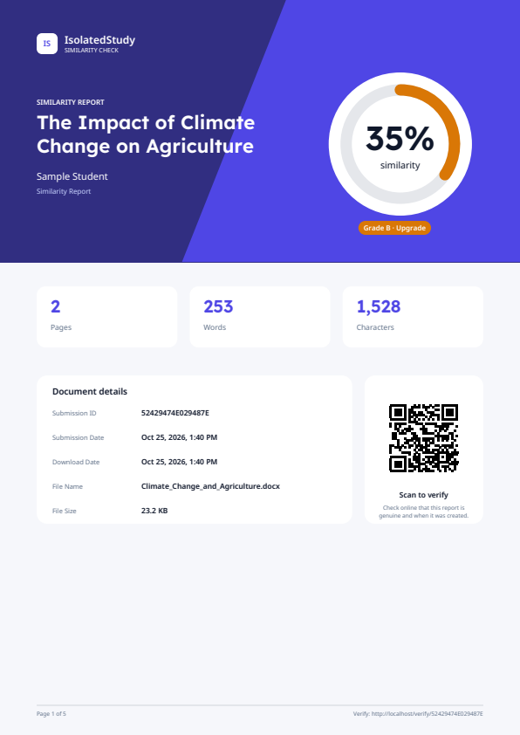
A colourful design with a score ring, charts, source tiles and a QR code to verify the report.
Open sample PDF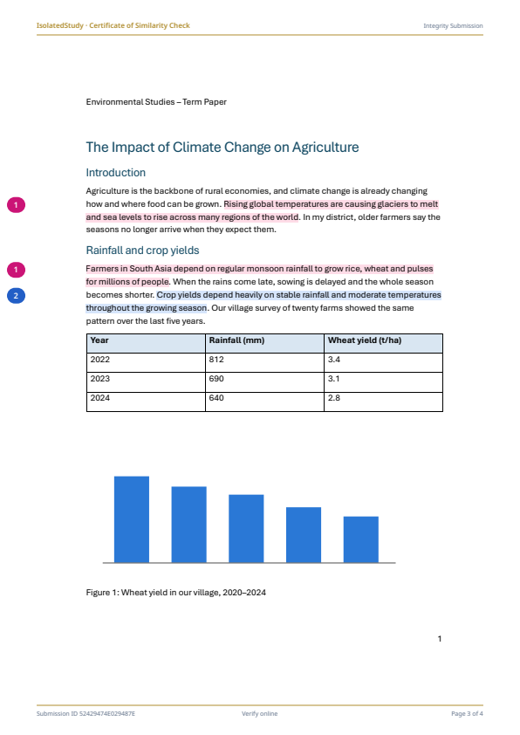
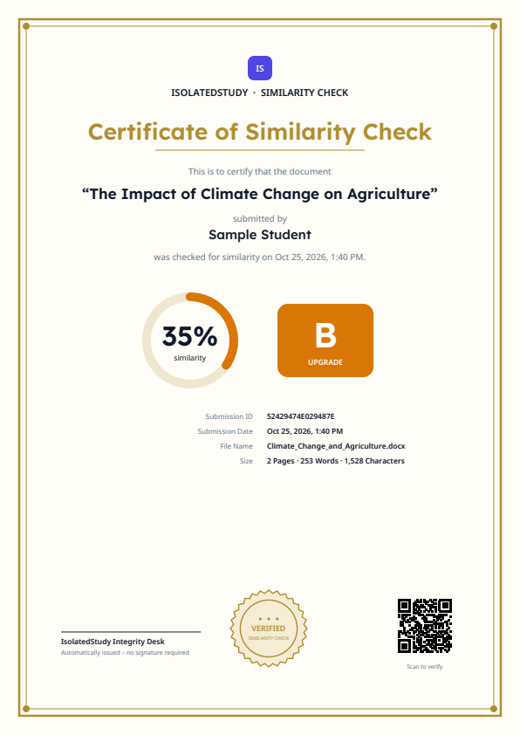
A framed certificate with grade, seal and QR code – ideal to hand in with your work.
Open sample PDFSample essay “The Impact of Climate Change on Agriculture” – 34.6% similarity, 3 sources. You choose the design when you download.
Every plan has every feature. Pay by card, PayPal, crypto, UPI or bank transfer.
Check your own work before you submit it.
Every assignment of a semester
Classes, assignments and bulk uploads – your students use your checks.
One or two classes
Several classes with bulk uploads
A whole school year, paid once
Share the checks with your instructors and see who used how many.
A department or small school
A college with many teachers
A university, paid once a year
The same kind of similarity report – but you can buy it yourself, pay the way you like and start in minutes.
| Feature | Isolated |
 |  |
|---|---|---|---|
| Buy it yourself – no university or school account needed | Institutions only | Mainly institutions | |
| Prices shown openly on the website | Quote on request | Quote on request | |
| Pay per plan – no yearly contract | Yearly licence | Yearly licence | |
| Pay with UPI, card, PayPal or crypto | Invoice to institution | Invoice to institution | |
| Check your own draft as often as your plan allows | If your institution allows | If your institution allows | |
| Similarity report with highlighted matches | |||
| AI-writing indicator | |||
| Report authenticity check (Submission ID + QR code) | – | – | |
| 3 PDF report designs to choose from | – | – | |
| Developer API with your own keys | Through integrations | On request | |
| Support by chat, WhatsApp and Telegram | Through your institution | Email / phone |
Based on publicly available information; offers of other companies can change – check with them for current details. Turnitin and DrillBit are trademarks of their owners. IsolatedStudy is not affiliated with them.
A percentage tells you how much matches. These checks tell you what is wrong, why, and how to fix it.
The report shows your own document page by page – same fonts, tables, code and pictures – with the highlights painted on.
Each reference is looked up in Crossref, OpenAlex and Google Books. References that do not exist – common with AI tools – are flagged.
Sentences are compared by meaning, so paraphrased text and text translated from another language are found too.
A ready-made APA citation for every source, missing in-text citations, and your progress since your last check.
Look-alike letters, invisible characters, white or tiny hidden text and s p a c e d words are found and undone before matching.
Every report has a Submission ID and QR code. Anyone can confirm online that it is genuine – without seeing your text.
Words are counted the way Microsoft Word counts them – for Word files and PDFs alike.
Program code is compared by its structure, and reused figures are found even when resized.
| Feature | IsolatedStudy | Turnitin | DrillBit |
|---|---|---|---|
| Similarity report with highlighted matches and sources | Yes | Yes | Yes |
| AI-writing indicator | Yes | Yes | Yes |
| Report shown on your original file layout | Yes | Yes | Not listed |
| Hidden-text and look-alike-letter flags | Yes | Yes | Not listed |
| Text translated from another language | Yes | Yes | Not listed |
| Paraphrasing found by meaning in the similarity score | Yes | Partly | Not listed |
| Made-up or wrong references checked | Yes | Not listed | Not listed |
| How-to-fix help with ready-made APA citations | Yes | Not listed | Not listed |
| Public verification page with Submission ID and QR code | Yes | Not listed | Not listed |
| Program code compared by structure | Yes | Partly | Not listed |
| Students can sign up and check on their own | Yes | No | Not listed |
| Free plan to start | Yes | No | Not listed |
| Keep your data on your own computer or server | Yes | No | Not listed |
available · Partly limited or a separate product · not offered · Not listed not found in their public product information. Based on public information as of 2026; features vary by plan and institution. Turnitin® and DrillBit are trademarks of their respective owners; IsolatedStudy is not affiliated with them.
Turnitin-style reports, plus checks that catch what a similarity score alone misses.
Distinctive sentences are searched on many web engines and research databases at once (OpenAlex, Crossref, arXiv, PubMed, CORE, DOAJ …) – open-access full texts included.
Every stored paper is compared with later ones – a copy of a classmate's or last year's paper is found, even weeks later.
Sentences are compared by meaning, so reworded text is caught, not just exact copies.
Finds sentences translated from documents in other languages – e.g. Hindi or Spanish into English.
Compares code by its structure, so renamed variables and changed comments do not hide copying.
Figures and photos reused from other saved papers are found, even when resized. Logos are ignored.
Shows how much of the text is likely written by AI tools (with a detection provider set up).
Look-alike letters from other alphabets, invisible characters, s p a c e d letters and white or tiny hidden text are flagged – and neutralised before matching.
The PDF report shows your own document – same fonts, tables, pictures and code – with only the highlights and numbered sources added.
Download as Classic integrity report, a colourful Modern report with charts, or a framed Certificate with grade and seal.
Exclude quotes, the bibliography, cited text or small matches; remove a source with one click and add it back any time.
Compare your text with any source; see what is not cited, missing quotation marks or properly cited.
Words are counted exactly as Word does – for Word files, PDFs, text and more.
Every report has a Submission ID and QR code. Anyone can check online that it is genuine and when it was created.
A printable certificate with the submission ID, date and a SHA-256 fingerprint of the text.
Every reference is looked up in Crossref, OpenAlex and Google Books – made-up or wrong references (often from AI tools) are flagged.
In-text citations missing from the reference list, and references that are never cited.
A ready-made APA citation for each source to copy, and your progress since the last check.
Compares the writing style with the writer's earlier papers – a hint for ghost-written work.
Text reused from your own earlier papers is listed apart and not counted in the score.
Grammar and spelling suggestions for the whole document.
Class codes, due dates, resubmissions, bulk upload, submission comparison, rubrics, grades and feedback, CSV export.
Checks per day, grades, similarity by assignment and where matches come from – for admins, instructors and students.
Connect Moodle or your website: send documents, get scores, words, issues and the PDF in any design as JSON.
Keep data on this computer or an external hard disk, in MongoDB, or both – with several MongoDB accounts filled one after another.
A fair queue for busy moments; checks continue after a restart and reuse finished work when a file is sent again.
PDF (even scanned), Word, PowerPoint, Excel, OpenDocument, RTF, HTML, EPUB, pictures (OCR), code and text in any language.
Give a school or company a number of checks per day, month or year; its administrator shares them with instructors, instructors with students – and everyone sees who used how many.
Bot traps on every public form, lock-out after wrong passwords, limits on new accounts, throw-away emails refused and safe browser settings.
Checks marked extra are optional – tick them under “More checks” when you upload.
Enter the Submission ID printed on every page – or scan the report's QR code.
Yes – a free account, so nobody else can see your reports. You don't have to sign up first: enter your email and a password when you upload and the account is made for you. A class code is optional.
59 PDF designs in 8 styles – Classic, Modern, Certificate, Academic, Minimal, Executive, Infographic and Official letter – each in several colours. All show your original file with the matches highlighted.
Every page shows a Submission ID and the report has a QR code. On the Verify page anyone can enter the ID and see when the report was created and its score – never your text.
Yes. Word files are counted by Word itself; PDFs and other files with Word's rules (headers, footers and page numbers are left out).
PDF (including scanned PDFs with OCR), DOC, DOCX, ODT, RTF, PPTX, XLSX, ODP, ODS, HTML, EPUB, TXT, Markdown, CSV, source code and images. There is no size or word limit.
It is the share of your words that match other sources. Quotes and the bibliography are excluded by default. A–D grades: A ≤ 10%, B ≤ 40%, C ≤ 60%, D above 60%.
Reports can only be opened by registered users who are logged in – you see your own reports, your instructor sees your class's. You choose: Standard repository stores your paper so later copies of it are detected; No repository checks it without storing it.
Yes. Your organization gets an allowance – a number of checks per day, month or year. Its administrator shares it with instructors and instructors with their students; nobody can give away more than they have. Everyone sees who used how many checks, and can search, filter and export the list.
Yes. When you check the very same file again, your own earlier copy is not counted as a source – so the percentage only changes if new matching sources were found. If someone else hands in the same text, it is still found.
Passwords are stored encrypted, every form is protected against forged requests and bots, and after several wrong passwords the login is locked for 15 minutes.
Choose a plan, enter your email, and pay by PayPal or card, crypto, UPI or bank transfer. Card and crypto plans start automatically; UPI and bank payments are checked by our team, usually within a few hours. We email you a link to set your password – no account needed before.
Yes. Turn on 2-step login in your account menu: after your password, you enter a 6-digit code that we email to you.
Yes, when paraphrase detection is enabled: sentences are compared by meaning, so reworded and translated text is flagged too.
Upload now – just add your email, your free account is made on the way.
Upload a documentQuestions? +91 73026 93676 isolatedinfo@isolatedstudy.com
Hi! 👋 How can we help? Pick a question for an instant answer, or write to us below.